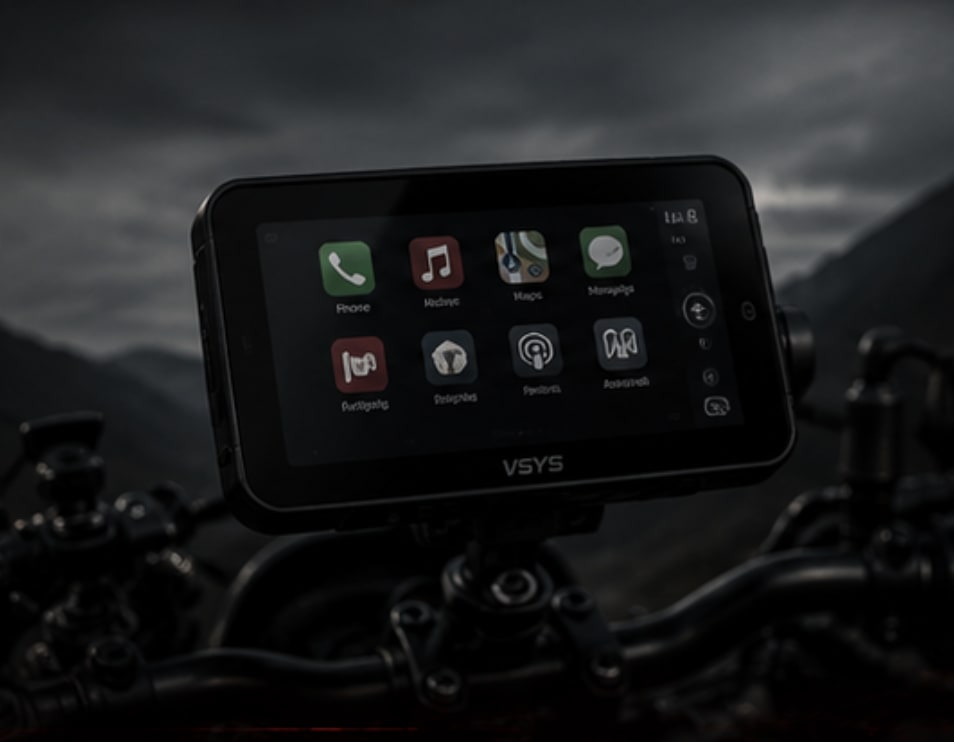
Why CarPlay on a Bike
Running navigation off a phone RAM-mounted to the bar works — until you want music, a call, or to swap maps without stopping. Switching apps on a gloved hand at speed is awkward and slow. A dedicated CarPlay screen keeps Apple Maps, Spotify, and call management on one interface you can actually operate while riding.
The CS5 Pro connects wirelessly to your iPhone via Bluetooth pairing — no cable dangling from your phone. The screen itself is a standalone unit that mounts to the bar or stem, powered from the bike's circuit. Cleaner setup, fewer cables, and your phone stays pocketed or in a tank bag.
Spec Breakdown
Real World Use
On daily commute, it removes the need to touch the phone at all — music and nav are on the screen. On tour, it mirrors whatever route is running on the iPhone seamlessly. The wireless pairing takes about 10–15 seconds after key-on before it's live, which is the only friction in the system.
Sunlight legibility is usable but not as sharp as the TomTom Rider 550. For this reason the CarPlay unit supplements the dedicated GPS — it doesn't replace it on long tours. On commuting and short rides, it handles everything independently.
Where to Buy
// Shopping Links
Field Notes: VSYS CarPlay CS5 Pro
Classification: Electronics / Infotainment // Daily & Touring
[WIRING] Wire it to the same ignition-switched auxiliary fuse box as your charging port. It draws low current — under 2A — so it can share a circuit with the charger if fused correctly. Do not wire to battery positive without a relay or it will drain overnight.
[PAIRING RELIABILITY] Auto-pairing works consistently once set up. Occasionally the first boot after a long gap needs a manual reconnect from the iPhone Bluetooth menu. This is an iOS quirk, not a unit defect — happens less after the initial few days of daily use.
[GPS HIERARCHY] Use the TomTom Rider 550 as primary navigation on long cross-border tours. Use the CS5 Pro as the secondary screen for music and calls. On pure commuting days in Singapore where connectivity is reliable, the CarPlay unit alone is more than sufficient.
[GLOVE OPERABILITY] Capacitive screen responds to bare fingers better than gloves. Workable with thinner summer gloves. Heavy touring gloves require deliberate taps — not ideal for inputs at speed. Pre-set your playlist and route before moving off.
Final Assessment
- Rating: 8/10 — strong daily unit, not a full GPS replacement on remote tours
- Best Use: Singapore commuting, Malaysia day rides, short touring legs
- Would Buy Again: Yes — it cleans up the cockpit significantly
- Recommended For: iPhone users who want CarPlay without buying a new bike